
CLAUDE.md seems to be the best place to put instructions, coding standards, and context for Claude Code. Yes, skills are offered as a supplement, but a recent study by Vercel shows shows that they are not as reliable yet. In their setup, instructions in skills were only triggered in 79% of the tasks, whereas CLAUDE.md was used at a 100%.
What is CLAUDE.md?
CLAUDE.md is a text file that serves as a “system prompt” for the programming agent. Some people also call it “onboarding document”, because it’s used to initialize Claude Code at startup. Officially, it’s called memory and it can be (mainly) found in two places.
1. User memory in ~/.claude/CLAUDE.md
2. Project memory in ./CLAUDE.md
At the start of a new project, you can either author the file(s) or run the command /init to have Claude Code read the codebase and write one for you. But don’t stop here.
Split: importing additional files help you manage context
If the content in CLAUDE.md is not well maintained or if it’s too comprehensive and thus gets pushed out of the context, you’re losing the desired impact. By splitting it in multiple files that are MECE (mutually exclusive collectively exhaustive), it’s easier to focus.
External files can be referenced in CLAUDE.md using “@”. Here an example from the official documentation.
See @README for project overview and @package.json for available npm commands for this project.

# Additional Instructions
- git workflow @docs/git-instructions.md
In addition, you can include context also in your project’s .claude/rules/ directory, referencing content using glob patterns or symlinks.
Build: don’t think static
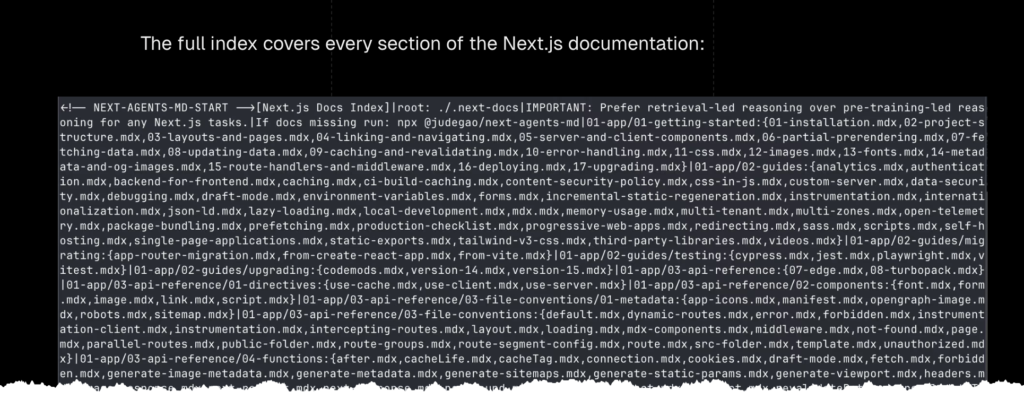
Each time when you start Claude Code, your project environment may have changed. This should also be reflected in Claude Code’s instruction by building the according files at this very moment. An example of such an automation is found as part of the Next.js project. The script
- looks at the version you use,
- downloads the matching documentation,
- generates a compact index of all doc files grouped by directory and
- injects the index into CLAUDE.md.
Minify: make it appetizing for robots
Obviously CLAUDE.md is here for the AI and it’s just written by human. Minifying its content (removing unnecessary characters such as whitespace, comments and line breaks) helps you save context. Again, in the case of Vercel, they realized up to 80% reduction. So this is how the Next.js documentation could look:
Never stop revising
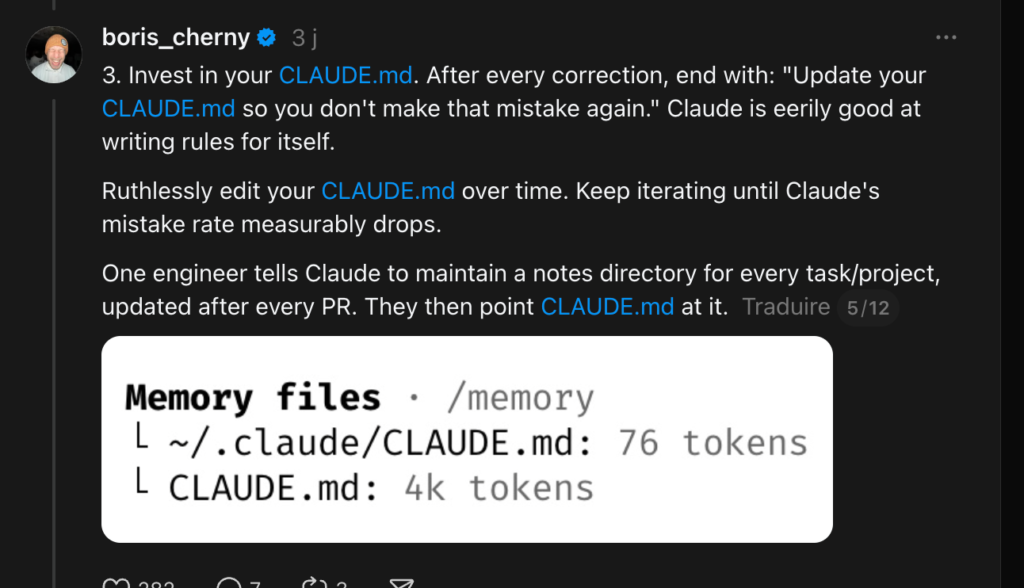
This is a no-brainer, because we all know that things like this do not age well. But to follow Boris Cherny’s advice (the lead developer behind Claude Code), you should edit the file ruthlessly over time.
Summary
All this will change rather in weeks than months: The Times They Are A-Changing.
